Color Palettes
basic-report gives you a set of pre-defined color palettes while also providing you with the capability to easily
add your own. Once defined within your custom config file you can also use them as default color options for your report
elements. See Report Configuration
Pre-defined Colors
The following colors are currently pre-defined and ready to use:
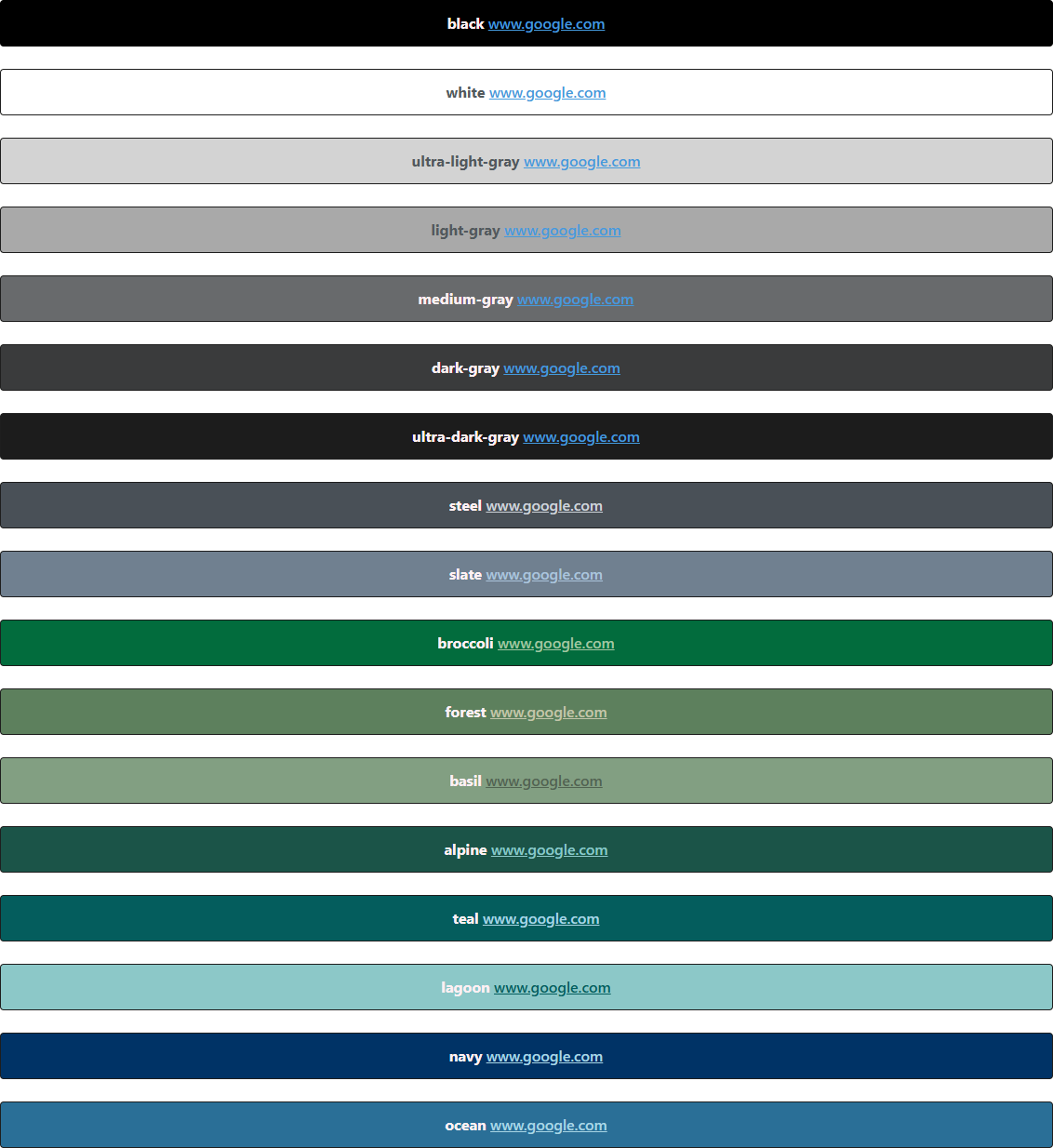
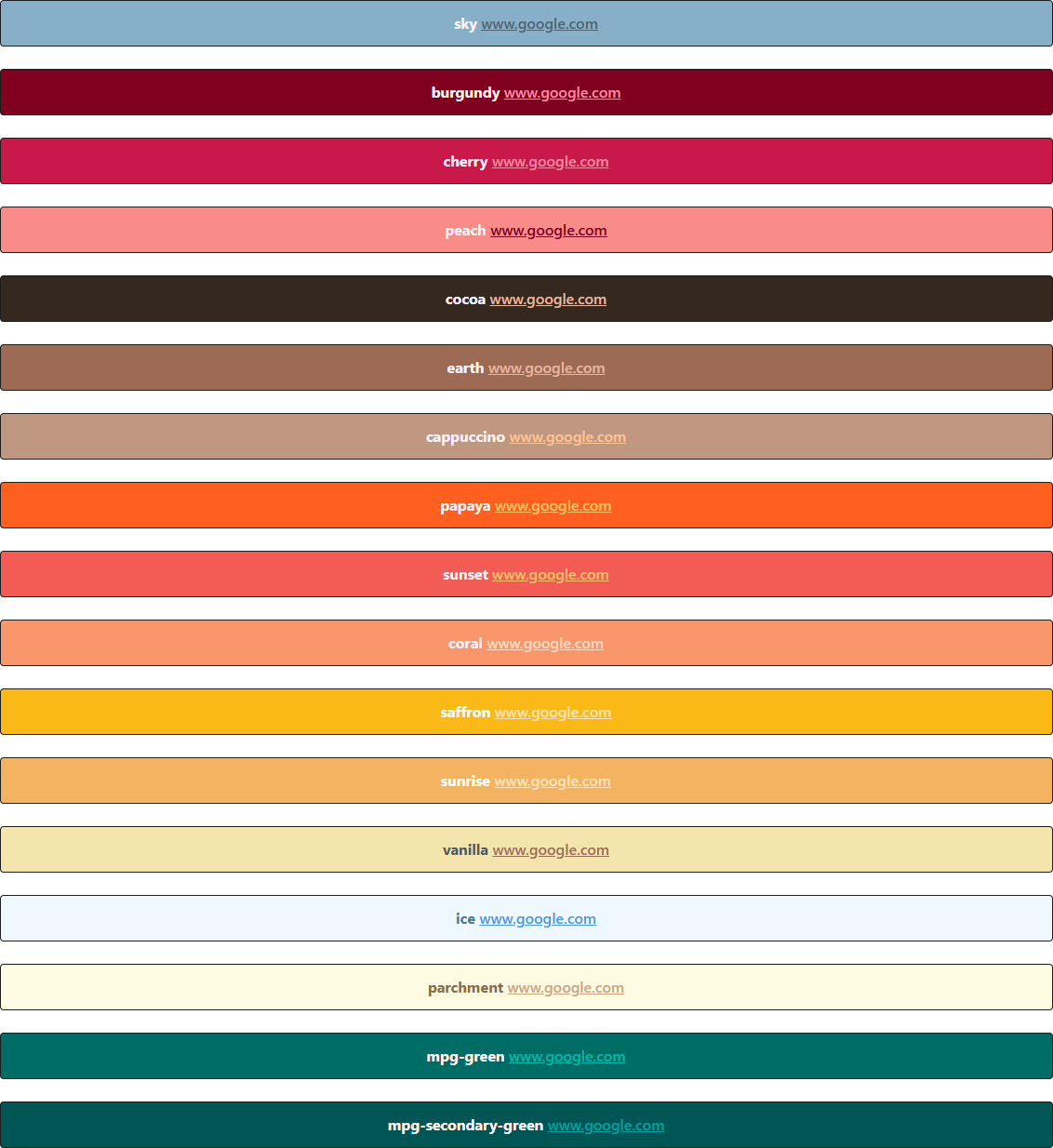
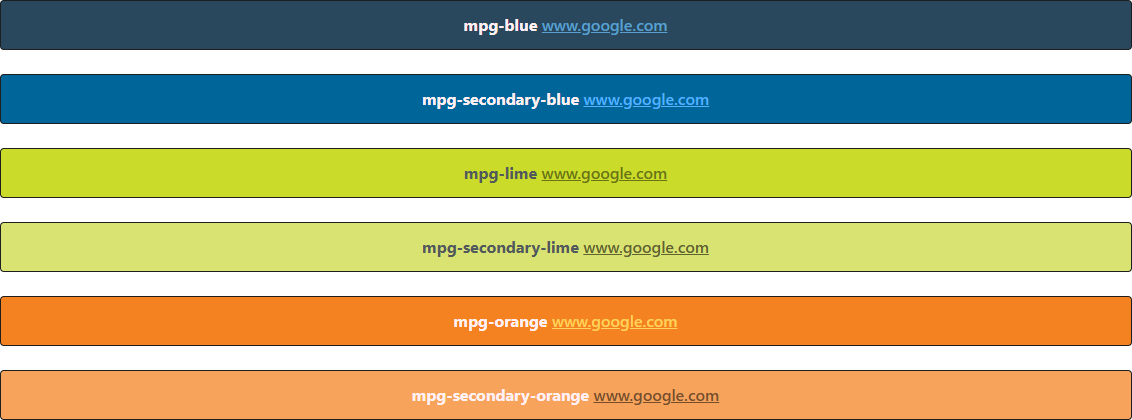
for color in r.color_map.cm.keys():
    r.add_header(f'{color} <a href=www.google.com>www.google.com</a>', color=color)
Custom Colors
As mentioned, you can also add additional color palettes to the report using your custom config.yml file. Simply
list your own color profiles under the main key custom_colors. Then add a new color palette using the following
schema:
custom_colors:
  slate:                                 # The name to be used for this color palette
    border_dark: '#000'              # The border around the header element in dark mode
    border_light: '#1e1e1e'             # The border around the header element in light mode
    font_and_background: '#708090'      # The main color. Either background color for headers, or font color for text
    face_color: '#fff0f3'               # The font color for the header element
    link: '#abc4dc'                     # The link color
    hover: '#374550'                    # The link color while hovering
In order to load your custom color palettes, making them available within your report, simply add a link to your config file during the report initialization:
r = Report(
        report_dir,
        report_name,
        report_date,
        color_mode='dark',
        config_file='path/to/your/config/file.yml
)
Thereafter you can use any custom, user-defined color palette in your report in most of the elements by simply using
the color=color_name keyword.